My.EPCC: Complete Guide to the EPCC Student Portal
What Is My.EPCC?
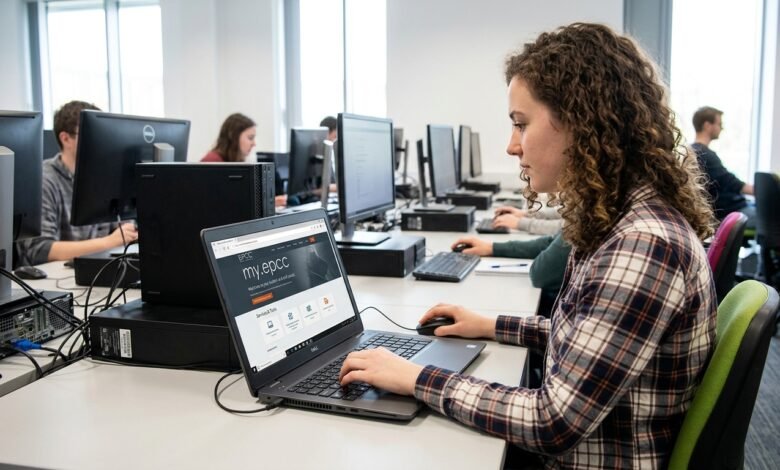
My.EPCC is the online portal used by El Paso Community College (EPCC) to provide students and employees with convenient access to important college services. Instead of visiting separate websites for every service, users can sign in through MyEPCC and access several applications and resources from one central location. EPCC officially describes MyEPCC as part of its intranet and information systems, including online services, Microsoft Office applications and Blackboard.
For students, MyEPCC is particularly important because an EPCC account provides access to services such as student email, Blackboard, online registration through Self Service Banner and other academic resources. Students generally use their EPCC username and password to authenticate themselves when accessing these services.
My.EPCC Login and Account Requirements
To use My.EPCC, students need an active EPCC account. The official EPCC IT Service Catalog explains that student accounts include an eight-digit ID number, a six-digit PIN, a username, password and an email address using the @my.epcc.edu domain.
New students receive their EPCC identification information and username as part of the admissions process. EPCC’s dual-credit guidance, for example, explains that students can receive their EPCC ID number, username and EPCC email address after submitting an admission application. Once those credentials are available, students can access MyEPCC using their EPCC email address and password.
What Can Students Do Through My.EPCC?
One of the biggest advantages of My.EPCC is that it connects students with several essential college systems. EPCC states that its account credentials can be used for student email, EPCC computers and Wi-Fi, MyEPCC, Blackboard and online registration through Self Service Banner.
The portal can therefore become a central starting point for everyday academic activities. Depending on the user’s role and available services, students may use it to access their college email, online classes, registration information, academic resources and other applications. This makes MyEPCC especially useful for students taking online or hybrid courses because multiple services can be reached through the same college account.
My.EPCC and Student Email
EPCC provides students with an official college email address in the format username@my.epcc.edu. Faculty and staff use a different format, username@epcc.edu. According to EPCC, students can access their email through MyEPCC by signing in with their EPCC account.
The student email account is more than a basic communication tool. EPCC notes that users can send and receive messages, manage contacts, create tasks and use calendar features. Students should therefore regularly monitor their EPCC email because important college communications may be delivered through this account.
Accessing Blackboard Through My.EPCC
For students taking online courses, Blackboard is another important service connected with MyEPCC. EPCC’s official materials explain that students can access Blackboard through MyEPCC using their EPCC login credentials.
Blackboard is used for online course activities, including accessing course materials and completing coursework. Because of this connection, students should make sure they can successfully sign in to MyEPCC before classes begin. Having a working EPCC account can help prevent unnecessary problems when students need to access their online classes.
Registration and Academic Information
My.EPCC also provides access to registration-related services. EPCC’s Self Service Banner system allows students to register for classes and view academic information, including final grades, transcripts, class schedules and the course catalog.
This makes the EPCC ecosystem useful throughout the semester rather than only during enrollment. Students can use the relevant academic systems to monitor their schedules, check grades and manage important parts of their college experience.
It is important to understand that MyEPCC acts as a central access point, while individual services may have their own interfaces and login requirements. EPCC notes that different college systems can ask for different combinations of account information depending on the service being accessed.
My.EPCC and Microsoft Office
Another useful feature associated with an EPCC account is access to Microsoft Office applications. EPCC instructional resources explain that students can go to MyEPCC, sign in and access Microsoft 365 applications through the My Apps section. Available Microsoft products can include Word, Excel, PowerPoint, OneNote and Teams.
For students, this can be valuable because coursework frequently requires documents, presentations, spreadsheets or online collaboration. Having these tools connected to the college account can make it easier to work on assignments without relying entirely on separate personal accounts.
My.EPCC Password and Account Recovery
For security reasons, students should protect their EPCC login information and never share their password or other credentials with another person. EPCC states that student and employee accounts are protected with multi-factor authentication, adding another layer of security beyond a username and password.
If a student forgets a password, EPCC provides an account recovery system. The official password recovery page accepts an EPCC email address using the @my.epcc.edu format.
EPCC also provides a password-change service. Its current requirements state that passwords must contain at least 10 characters and use at least three different character groups, such as uppercase letters, lowercase letters, numbers and non-alphabetic characters.
Common My.EPCC Login Problems
Students may occasionally have trouble signing into MyEPCC. Common causes can include an incorrect username, forgotten password, account recovery issues or problems with multi-factor authentication.
The first step should be checking that the correct EPCC credentials are being used. If the password is forgotten, students can use EPCC’s official account recovery resources. For technical assistance, EPCC lists its Help Desk number as (915) 831-6440.
Students should avoid repeatedly guessing passwords or using unofficial login pages. Using official EPCC resources is the safest approach when recovering an account or resolving access problems.
Security Tips for My.EPCC Users
Because MyEPCC connects users to multiple college services, account security is important. Students should use a strong, unique password and keep their authentication information private. EPCC specifically emphasizes that users are responsible for protecting their account credentials.
Multi-factor authentication also provides additional protection. EPCC identifies Microsoft Authenticator as its preferred MFA method and also provides SMS as another available method. The college requires users to register more than one authentication method.
Students should also be careful when accessing MyEPCC from public or shared computers. Always sign out when finished and avoid saving passwords on computers that other people can access.
Why My.EPCC Matters for Students
My.EPCC is more than a simple login page. It functions as an important digital gateway within the El Paso Community College environment. Through the portal and connected services, students can reach email, Blackboard, registration resources, academic information and productivity tools.
Having these services connected to one college account can make daily academic tasks easier to manage. Instead of remembering unrelated credentials for every service, students can begin from the MyEPCC environment and move to the specific system they need.
Frequently Asked Questions About My.EPCC
What is My.EPCC?
My.EPCC is El Paso Community College’s online portal and information-system gateway. It provides authenticated access to various college services and applications for students and employees.
What email does an EPCC student use?
EPCC students receive an email address using the username@my.epcc.edu format. Employees use username@epcc.edu.
Can I access Blackboard through My.EPCC?
Yes. EPCC materials identify MyEPCC as an access point for Blackboard, which students use for online course activities.
What if I forget my My.EPCC password?
Students can use EPCC’s official account recovery and password-reset resources. The password recovery page accepts the student’s EPCC email address.
How do I get technical help?
For EPCC account and technical assistance, the official EPCC IT information lists the Help Desk at (915) 831-6440.
Conclusion
My.EPCC is an important digital gateway for El Paso Community College students and employees. It connects users with essential services such as college email, Blackboard, registration resources, academic information and Microsoft applications. EPCC’s current IT documentation also highlights multi-factor authentication and account-recovery options designed to protect users and help them maintain access.
For students, keeping EPCC credentials secure and regularly checking their college email can make the MyEPCC experience much smoother. When login or technical problems occur, using official EPCC recovery and Help Desk resources is the most reliable way to restore access. Overall, My.EPCC serves as a central digital hub that brings many of the tools students need for their college journey into one connected environment.