Good EPUB Reader Android: Best Apps for Reading EPUB Books
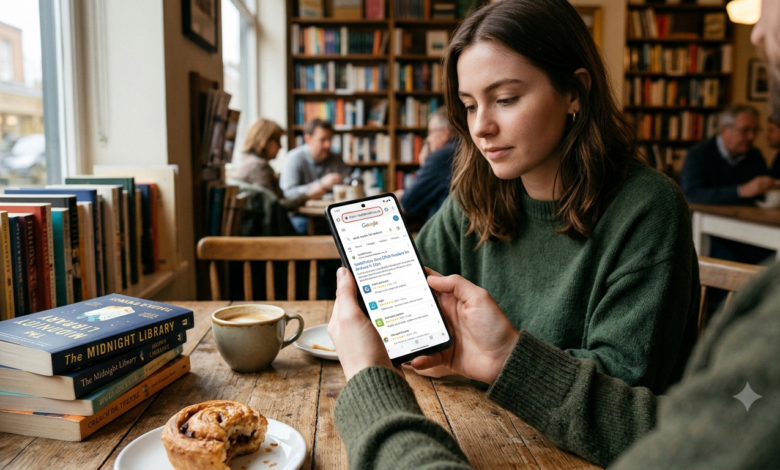
Finding a good EPUB reader for Android can make reading digital books much easier and more enjoyable. EPUB is a popular ebook format that supports adjustable text sizes, customizable fonts, bookmarks, and other features that improve the reading experience. Unlike PDF files, EPUB books can usually adapt their text to fit different screen sizes, making them convenient to read on Android phones and tablets.
However, not every ebook reader offers the same features. Some apps focus on simple reading, while others provide advanced customization, library management, offline access, annotations, and cloud synchronization. The right choice depends on whether you read novels, educational books, technical documents, or large personal ebook collections.
Popular Android ebook readers include ReadEra, Moon+ Reader, Lithium, PocketBook Reader, and Google Play Books. Each has different strengths, and some features may require a paid upgrade or an account. In this guide, we will compare these options, explain what makes a good EPUB reader, and help you choose an app that suits your reading habits.
What Is an EPUB Reader for Android?
An EPUB reader is an application that allows you to open and read electronic books saved in the EPUB format. EPUB stands for Electronic Publication, a widely used ebook format designed to display text and images across different screen sizes.
On Android, an EPUB reader can turn your smartphone or tablet into a portable digital library. Instead of carrying several printed books, you can keep hundreds of compatible ebooks on your device or access supported titles through cloud services.
Most EPUB readers provide essential tools such as bookmarks, adjustable font sizes, brightness controls, and night mode. More advanced applications may also include dictionaries, annotations, highlighting, text-to-speech, and cloud synchronization.
One important detail is that support for EPUB files does not automatically mean an app can open every ebook. Some purchased or borrowed books use digital rights management (DRM), which can restrict access to particular applications or accounts.
Best EPUB Reader Android Apps
Several Android applications offer reliable ebook reading experiences. The best option depends on whether you prefer offline reading, extensive customization, online book purchases, or access across multiple devices.
ReadEra: Best for Simple Offline Reading
Recommended for readers who want a straightforward personal ebook library.

ReadEra is a strong choice for people who keep their ebook collections on their phones. It supports common formats, including EPUB and PDF, along with several other document types. Its straightforward interface makes it relatively easy to organize and open personal files.
One major advantage is that you can read compatible local files without creating an account. This makes ReadEra useful for travelling, studying without an internet connection, or keeping personal books available offline.
ReadEra is particularly suitable for casual readers who do not want to spend much time adjusting settings. If your priority is a simple, convenient reader for DRM-free ebooks, it is a good starting point.
Moon+ Reader: Best for Customization
Recommended for readers who want extensive control over page appearance.

Moon+ Reader offers a wide range of customization options. Readers can adjust fonts, spacing, margins, themes, page-turning effects, and other display settings. It also supports numerous ebook and document formats.

Apps on Google Play
The application is especially useful for people who read for several hours at a time and want their pages to look exactly as they prefer. Additional features include bookmarks, highlighting, annotations, dictionary tools, and configurable gestures.
The free version includes advertisements, while certain additional features are available through a paid edition. Moon+ Reader may be more complicated than necessary for someone who simply wants to open a book and start reading.
Google Play Books: Best for Cloud Access
Recommended for readers who use several devices.

Google Play Books is a convenient option for people who already use Google’s services. In addition to books purchased through the platform, it supports uploading compatible personal EPUB and PDF files.
Cloud features can help you access uploaded books on supported devices signed into the same account. Depending on the book and feature, your reading position, notes, and highlights may also be synchronized.
The main advantage is convenience rather than deep customization. However, cloud access depends on your account and internet availability for some tasks. If you prefer to keep every book entirely on your phone, a local reader such as ReadEra may suit you better.
PocketBook Reader: Best for Different Ebook Sources
Recommended for readers with books from multiple providers.

PocketBook Reader is another option worth considering if your library contains books in different formats. It supports EPUB and several other ebook and document types, with features that can include bookmarks, dictionaries, cloud services, and audio-related functions.
It is particularly useful for readers who want a flexible reading application rather than one tied exclusively to a single bookstore. Support for certain DRM-protected books depends on the protection method and the required authorization.
Before choosing PocketBook, check whether your particular books and desired synchronization features are supported by the Android version available to you.
Lithium: Best for Minimalist EPUB Reading
Recommended for readers who mainly use EPUB files.

Lithium focuses on providing a relatively simple EPUB reading experience. Its interface is designed around opening books, navigating chapters, and adjusting basic reading preferences without requiring extensive configuration.
It is a suitable option for people who primarily read EPUB novels and want a less complicated interface than a feature-heavy ebook application. Some features may vary by edition.
If you need broad support for PDFs, comics, or unusual document formats, compare Lithium with ReadEra or PocketBook before making your decision.
Comparison of the Best EPUB Readers
The following table summarizes the main strengths of these applications.
| App | Best for | Main advantage | Possible limitation |
|---|---|---|---|
| ReadEra | Offline reading | Simple local library | Limited cloud-focused workflow |
| Moon+ Reader | Customization | Extensive display controls | Some features require payment |
| Google Play Books | Cloud access | Uploaded books and synchronization | Requires a Google account for cloud features |
| PocketBook Reader | Mixed ebook collections | Broad format and book-source support | DRM setup can be complicated |
| Lithium | EPUB reading | Minimalist interface | Less suitable for varied document collections |
These are practical recommendations rather than a universal ranking. Features, prices, and compatibility can change with app updates.
Important Features to Look For
When choosing a good EPUB reader Android users can rely on, consider the following features before installing an application.
Adjustable typography: The ability to change font size, typeface, line spacing, and margins helps you read comfortably on small screens.
Night mode: A dark background can make reading in dim environments more comfortable. You should also be able to adjust brightness independently of the phone’s overall settings.
Offline access: A good reader should allow you to open downloaded, compatible books without requiring a continuous internet connection.
Bookmarks and notes: Bookmarks help you return to important passages, while highlighting and annotations are useful for students and researchers.
Library organization: Search, sorting by author, categories, and cover previews can make large collections easier to manage.
Format compatibility: EPUB is essential for this search, but PDF, TXT, MOBI, or other formats may matter if you own books from different sources.
Privacy and permissions: Check the app’s privacy information and request permissions carefully. A basic offline reader should not need access to unrelated features of your phone.
How to Open EPUB Files on Android
Opening an EPUB book on an Android phone is usually straightforward. Follow these steps to get started.
- Download a compatible EPUB file from a legitimate source or transfer one from your computer.
- Open your phone’s Files or file manager application.
- Locate the book, usually in the Downloads folder.
- Tap the file and select your preferred EPUB reader if Android asks which app to use.
- If the file does not open, launch your reading application and use its import or file-browsing option.
- Adjust the font, background, margins, and brightness to suit your preferences.
- Add a bookmark so you can return to your current position later.
If you download a book through a cloud service, make sure the file is available locally before trying to read it offline.
Remember that DRM-protected books may require a specific application or account. Installing another EPUB reader will not necessarily remove those restrictions.
Free vs. Paid EPUB Reader Apps
Free EPUB readers are sufficient for many people. If you mainly read novels, public-domain books, or personal DRM-free files, you may not need a paid subscription or premium application.
Free options can provide essential reading controls, offline access, bookmarks, and basic library management. However, some applications include advertisements or reserve advanced features for paid editions.
Paid versions may offer more extensive customization, additional synchronization options, or an ad-free experience. Whether those benefits justify the cost depends on how frequently you read and which tools you actually use.
Before paying, check the current Google Play listing for the app’s price, in-app purchases, supported formats, and recent updates. Avoid choosing an application solely because it advertises the largest number of features.
Tips for a Better Reading Experience
A few small adjustments can make reading on an Android phone more comfortable.
- Choose a readable font size: Avoid text that forces you to strain your eyes or repeatedly zoom in.
- Use suitable spacing: Moderate line spacing and margins make long paragraphs easier to follow.
- Keep books organized: Group books by subject, author, or reading priority.
- Download books before travelling: This prevents internet access from becoming a problem.
- Use bookmarks consistently: Mark important chapters or your last reading position.
- Check battery settings: Extended screen time can drain your battery, so lower brightness when appropriate.
- Back up important notes: If your reader stores highlights locally, check whether it offers export or backup options.
- Download books legally: Use legitimate bookstores, public-domain collections, libraries, and other authorized sources.
If you read both fiction and educational material, consider testing two applications with the same EPUB file. Comparing page layout, navigation, and readability can help you identify the better fit.
Common EPUB Reader Problems and Solutions
Even a good reader may occasionally have trouble opening a book. Fortunately, many problems have simple explanations.
The EPUB file will not open. Confirm that the download completed successfully and that the file is genuinely an EPUB. If it is damaged, try downloading it again from the original source.
The book displays unusual formatting. Some EPUB files contain embedded styling that does not render identically in every application. Try changing the reader’s font or layout settings, or test the book in another compatible app.
The reader cannot open a purchased book. The book may use DRM that the application does not support. Check the seller’s instructions and use an authorized reader.
Your reading progress is missing. Progress may be stored locally or associated with a particular account. Confirm that you are using the same app and account, and check whether synchronization is enabled.
The app cannot find your books. Use the application’s import function or manually select the folder containing your EPUB files. Android storage permissions can affect which files an app can access.
These solutions address common problems without requiring you to install several unnecessary applications.
Frequently Asked Questions
What is the best EPUB reader for Android?
ReadEra is an excellent starting point for straightforward offline reading. Moon+ Reader is better for extensive customization, while Google Play Books is useful for readers who want cloud access to uploaded books.
Which EPUB reader is free?
Several options offer free reading, including ReadEra, Google Play Books, Lithium, and the free edition of Moon+ Reader. Their features, advertisements, and optional purchases differ.
Can I read EPUB books without the internet?
Yes. Most compatible EPUB files can be read offline after they have been downloaded to your phone. Some account-based or DRM-protected books may have additional requirements.
Is EPUB better than PDF on Android?
EPUB is generally more convenient for novels and text-heavy books because its text can adjust to the screen. PDF is often preferable when preserving a fixed page layout, diagrams, or exact document formatting is important.
Can I read EPUB files on any Android phone?
Most modern Android phones can run an EPUB reader application. Compatibility depends on the Android version, available storage, the application, and whether the book uses supported formatting or DRM.
Do I need to pay for a good EPUB reader?
No. Free applications can provide an excellent reading experience. Paid editions are worth considering only if you need specific premium features.
Conclusion
Choosing a good EPUB reader for Android comes down to your reading habits, book collection, and preferred features. ReadEra is a strong choice for simple offline reading, Moon+ Reader suits readers who want detailed customization, Google Play Books offers convenient cloud access, PocketBook Reader supports varied ebook collections, and Lithium is worth considering for a minimalist EPUB experience.
Start with a free application and test it using a few books you already own. Check how well it displays text, handles bookmarks, and opens your files before moving your entire library. The best EPUB reader is ultimately the one that makes your books easy to access, comfortable to read, and convenient to organize.